Export Payroll
-
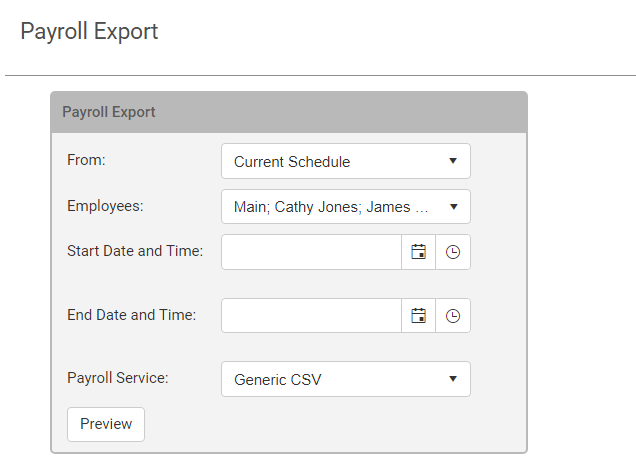
From: Choose the schedule that you would like to export the shifts from -
-
Current Schedule will take the time the employee has been scheduled for in the selected date range.
-
Attendance will take the time for the shifts that the employee has stated, from clock in or manual attendance.
-
-
Employees: Select the employees you want to export payroll for. You can select all employees, select specific departments, or select specific employees.
-
Start Date and Time: The beginning date and time in the date range for the shifts.
-
End Date and Time: The last date and time in the date range for the shifts.
-
Payroll Service: WorkSchedule.Net will automatically format the CSV in the format required by the payroll providers. Use Generic CSV if you do not have a listed provider.
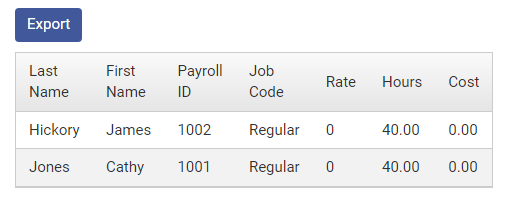
You can the preview the payroll information after clicking the Preview button. When finished, click Export to download the CSV file.
Copyright © 2021 Program Works