Generate time off
Generate Time Off is quick way to approve last minute time off (such as calling in sick). A manager can select one or more time ON time blocks and quickly turn it into an OFF time block.
To use the generate time off feature:
-
Select an ON time block
-
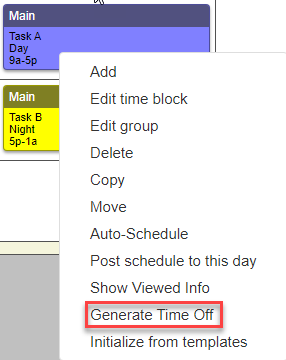
Right click and select Generate Time off
-
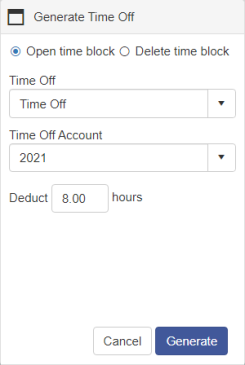
A dialog box will open giving you the option to open time block or to delete the time block. This block will also allow you to select the type of time off, which time off account to take the time off from and how many hours to deduct. After making your selection click Generate.
-
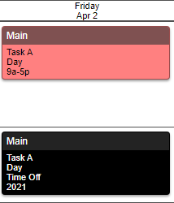
If you selected Open time block an open time block will be added to the schedule and the original time block will be replaced with a time off block.
-
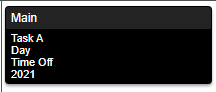
If you selected Delete time block it will change the selected time block to a time off block.
Copyright © 2021 Program Works