Adjust start and end times
Time Block start and end times can be easily adjusted by using the Adjust start and end times feature.
To adjust start and end times:
-
Select the time blocks you want to adjust.
-
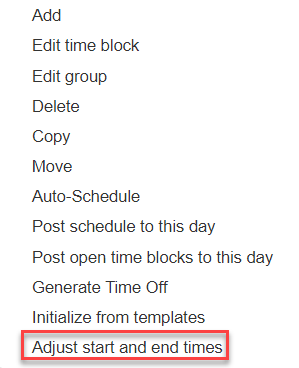
Right click and select Adjust start and end times from the pop up menu.
-
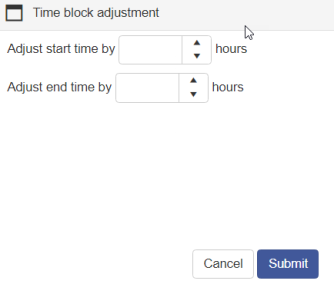
Enter the number of hours that the selected time blocks need to be adjusted by.
-
Click Submit.
Note: this is a relative time adjustment and all time blocks selected will be adjusted by the hours inputted.
Copyright © 2021 Program Works